
Tower Lamp
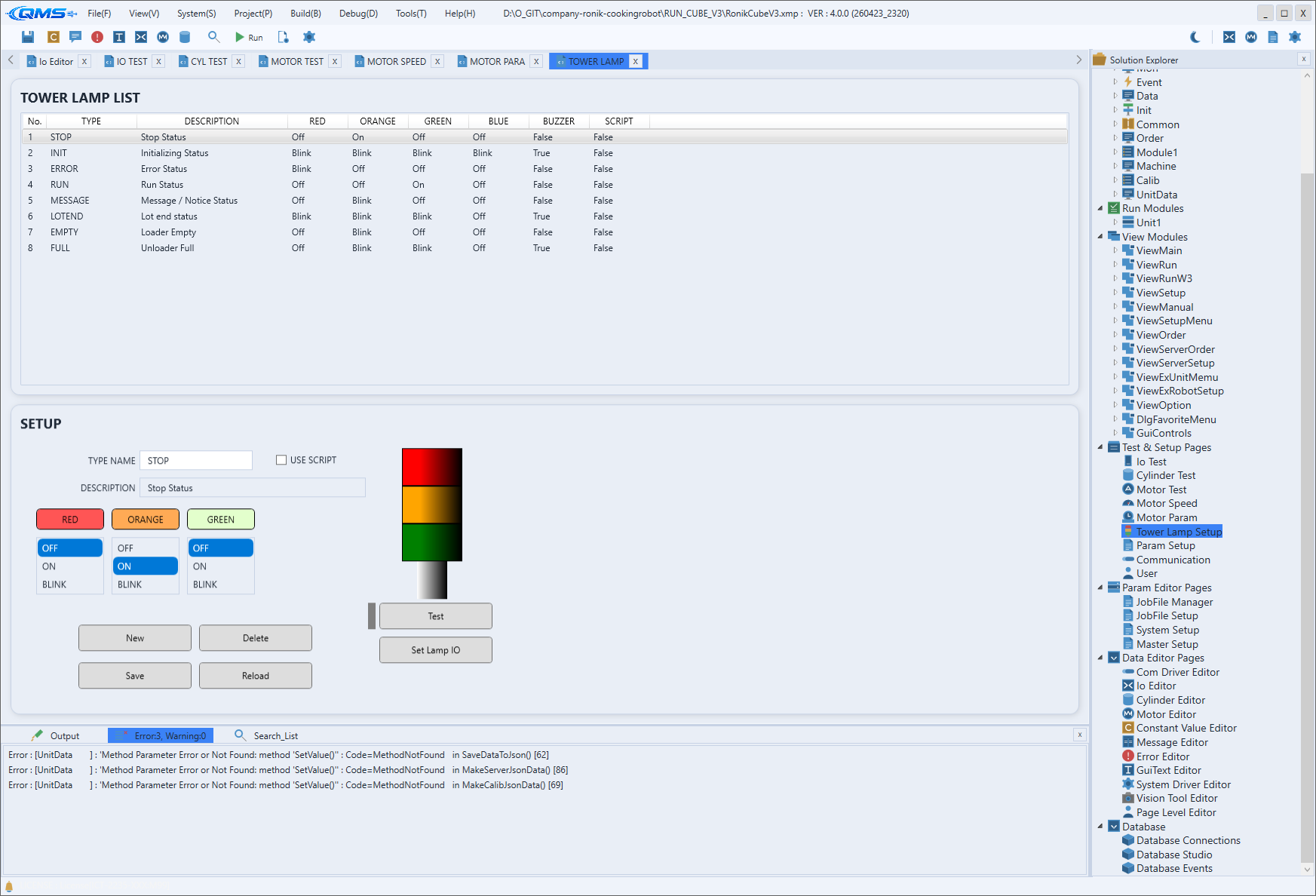
Tower Lamp is the setup screen for defining the tower lamp (signal light) and buzzer as lighting patterns mapped to machine states, and for testing them directly on screen. The TOWER LAMP LIST at the top lists patterns as rows, and the SETUP area at the bottom assigns each color's behavior and the buzzer. The entry path is System → Tower Lamp.
Each pattern has a name (TYPE NAME) that represents a machine state such as RUN, STOP, or ERROR. For
every pattern you turn the RED, ORANGE, GREEN, and BLUE lamps on, off, or blinking and assign a
buzzer output. Once defined, calling that name from a script during operation displays the fixed
lighting pattern.
Main areas
The screen consists of the pattern list at the top and the setup area at the bottom.
| Area | Description |
|---|---|
| TOWER LAMP LIST | Lists the defined patterns as rows. The columns are TYPE, DESCRIPTION, RED, ORANGE, GREEN, BLUE, BUZZER, and SCRIPT. |
| TYPE NAME / DESCRIPTION | Fields for the pattern name and description. The name is used as-is when a script calls the pattern. |
| USE SCRIPT | When checked, an input box appears so you can describe the lighting pattern directly in script instead of using the color lists. |
| Color lists | Choose each lamp's behavior — RED, ORANGE, GREEN, BLUE — from OFF, ON, or BLINK. BUZZER is chosen from OFF or ON. |
| LAMP TEST display | A lamp preview is shown on the right, and the Test button outputs the current pattern for real to verify it. |
Testand live lighting drive the output signals wired to the machine. The buzzer and warning lights will turn on, so confirm the surrounding area is safe before operating.
Editing patterns and output mapping
Manage patterns with the bottom buttons. New creates a new pattern, Delete removes the selected
pattern, Save saves, and Reload reloads the saved data. Which output signals drive the lamps and
buzzer is mapped with the Set Lamp IO button, while the output IO definitions themselves are managed
in IO Editor.
Script integration
A defined pattern is lit from XScript by passing the pattern name to SetLamp of the TOWERLAMP object.
// Light the RUN pattern when operation starts
TOWERLAMP.SetLamp("RUN");
Workflow
- Open the screen from System → Tower Lamp.
- Add a pattern with
Newand enterTYPE NAMEandDESCRIPTION. - Set the behavior of
RED,ORANGE,GREEN,BLUEtoOFF,ON, orBLINK, andBUZZERtoOFForON. - Map each lamp's and the buzzer's output signal in
Set Lamp IO. - Verify with
Test, then save withSave. During operation, call the pattern by name from a script, e.g.SetLamp("RUN").