
Motor Param
Motor Param is the screen for tuning per-axis motor parameters, one row per axis. The MOTOR LIST grid at the top lists each axis as a row, where you enter the values that decide how the axis actually behaves: homing, jog, and run speeds, sensor levels, encoder, pulse output mode, and more. The entry path is System → Motor Param.
This screen shares the same editor surface as Motor Editor, which defines the motor axes. The difference is the point of view. System → Motor Param is for adjusting the tuning values of already defined axes on the operation floor, while Project → Motor Editor is for defining the axes themselves during project design.
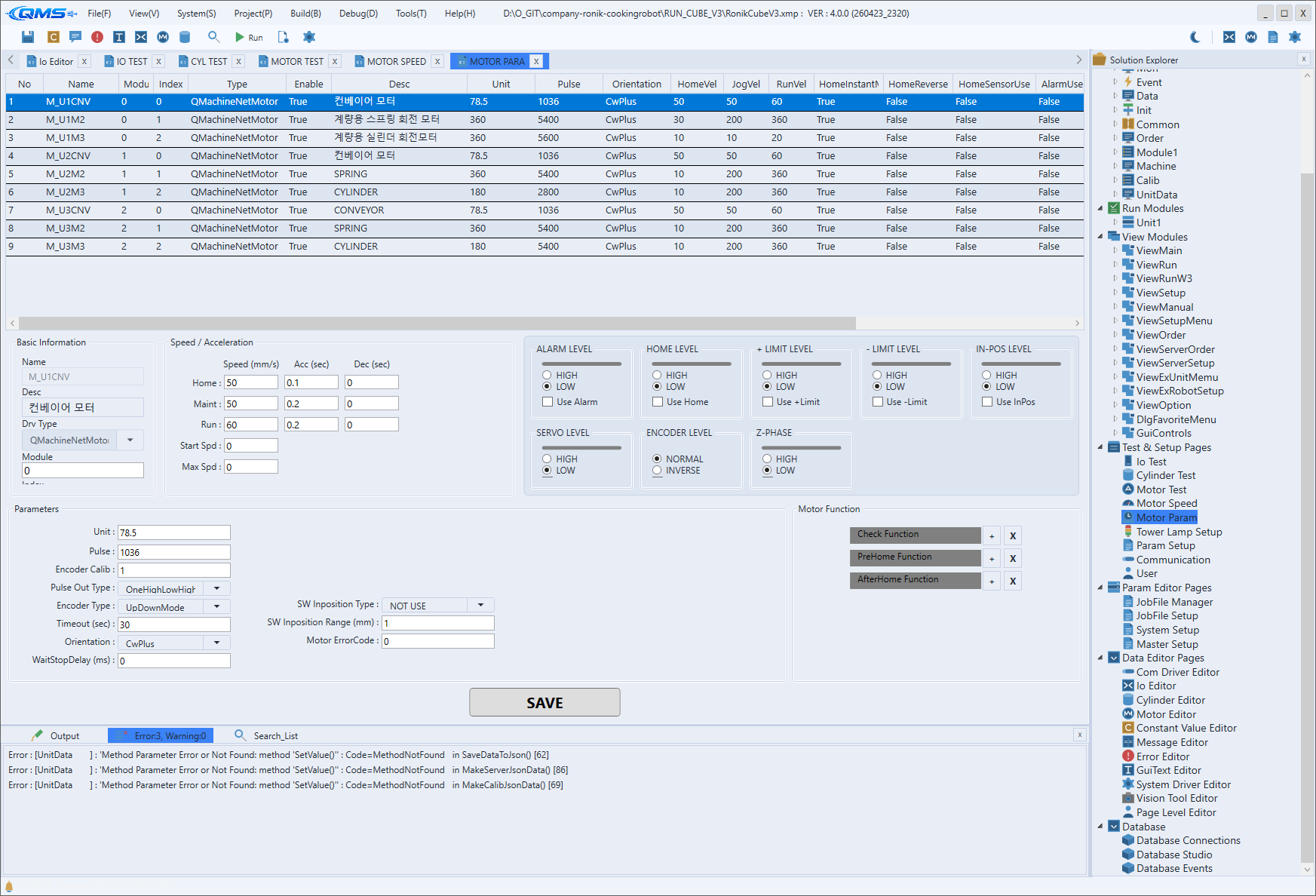
Main areas
The screen consists of the parameter grid at the top and a button area at the bottom.
| Area | Description |
|---|---|
| MOTOR LIST | A DataGrid that lists axes as rows. The leftmost Name and Enable columns are frozen and stay visible during horizontal scrolling. |
| Parameter columns | The many columns holding each axis's operating values. Numeric cells are typed directly; some columns offer a check box or drop-down. |
| Scale buttons | The +, -, and * buttons at the lower left enlarge or shrink the display text scale, or reset it to the original. |
| SAVE / RESTORE | Buttons at the lower right. SAVE stores the entered values; RESTORE reverts to the last saved values. |
Enum drop-down columns
Columns whose value is chosen from a fixed list are shown as drop-downs. Opening the cell reveals the choices, and invalid values cannot be entered.
| Column | Meaning |
|---|---|
EncoderInput | Selects the encoder input method. |
Orientation | Selects the motor's mounting/drive direction (MotorOrientation). |
PulseOut | Selects the pulse output method. |
Sensor and signal level columns (PLimitSensorLevel, NLimitSensorLevel, HomeSensorLevel,
AlarmLevel, ServoOnLevel, and so on) are also drop-downs for choosing the contact level.
Key numeric and check columns
The representative parameter columns are listed below. Speed values per motion phase can be entered here too, but named speed sets are managed in Motor Speed.
| Column | Meaning |
|---|---|
HomeVel · HomeAccel · HomeDecel | Homing speed / acceleration / deceleration |
JogVel · JogAccel · JogDecel | Jog speed / acceleration / deceleration |
RunVel · RunAccel · RunDecel | Run speed / acceleration / deceleration |
Unit(UnitPerPulse) · Pulse | Travel unit per pulse and pulse count (mechanical conversion) |
MinPos · MaxPos | Software travel limits |
TimeOut · HomeTimeOut | General and homing timeouts |
EncoderUse · InpositionUse · AlarmUse | Feature-enable check boxes |
Editing rows
Right-clicking the grid opens a context menu for editing rows. Add Row adds a row, Duplicate Row
copies the selected row, and Move Up / Move Down reorder rows. Set All This Column applies the
selected cell's value to the entire column at once, and Delete Row removes a row.
Workflow
- Open the screen from System → Motor Param.
- Find the row of the axis to tune in MOTOR LIST.
- Type or select the needed cells: speed, acceleration/deceleration, sensor levels, encoder, pulse output, and so on.
- To apply the same value to several axes, select the cell, right-click, and use
Set All This Column. - Save with
SAVEat the bottom. If you made a mistake, revert withRESTORE.