
Help Menu
The Help menu provides entry points to the offline PDF manuals, the online manual, and program information. When you need help during use, you can open the installed documents or the web manual directly.
Click Help on the top menu bar to reveal the PDF manuals, online manual, and About items. The PDFs open offline documents in the installation folder, and the online items open the web manual in a browser.
PDF Manuals
The following three items open the offline PDF manuals included in the installation folder. You can view the documents without an internet connection.
| Item | Action | Target |
|---|---|---|
User Manual (PDF) | Open in PDF viewer | User manual PDF in the installation folder |
XScript Manual (PDF) | Open in PDF viewer | XScript manual PDF in the installation folder |
ShortCut Manual (PDF) | Open in PDF viewer | Shortcut manual PDF in the installation folder |
Online Manual
The following items open each section of www.ict-lab.com/ko/manual in a browser. The latest content is available in the online manual.
| Item | Action | Target |
|---|---|---|
Online Manual - Home | Open in browser | Online manual home |
Online - Tutorial | Open in browser | Tutorial section |
Online - GUI Manual | Open in browser | GUI manual section |
Online - XScript Manual | Open in browser | XScript manual section |
The offline PDFs contain the content as of installation, while the online items show the latest documents on the web. Use the two paths as appropriate for your situation.
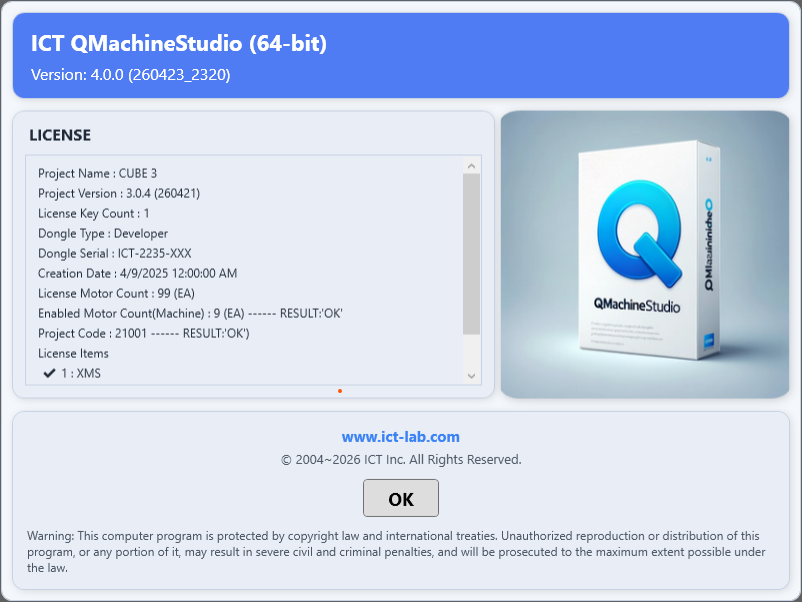
About QMachineStudio
About QMachineStudio is a window that displays the program's version and license information. Use it to check the currently installed version or to report version information when making an inquiry.
For guidance on license authentication and the USB dongle, refer to the license section of the tutorial.